 Photographers Journal
A photo journal for photography locations
Photographers
Journal
Save the place. Come back for the photograph.
Found a place worth photographing, but not the right light? Save the spot, add a reference photo and leave yourself a note. Keep the details together for your next visit.
Core features free forever. Optional one-time Premium.
For iPhone. No account needed.
For the photograph you haven’t made yet
The place is right.
The light can wait.
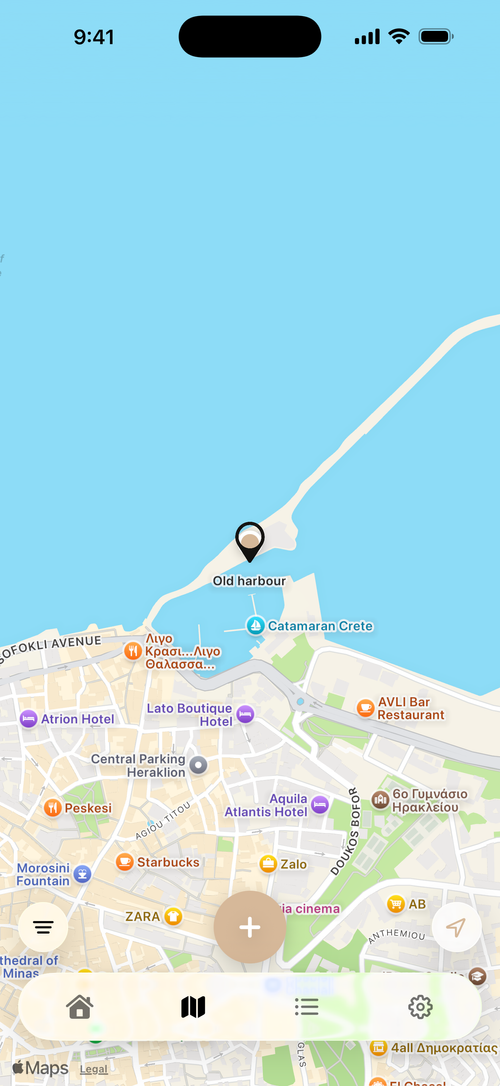
You find a quiet harbour. A bend in the trail. A view that needs another season. Save what caught your eye before the small details disappear.
A small habit. A growing collection.
Find it. Remember it. Return.
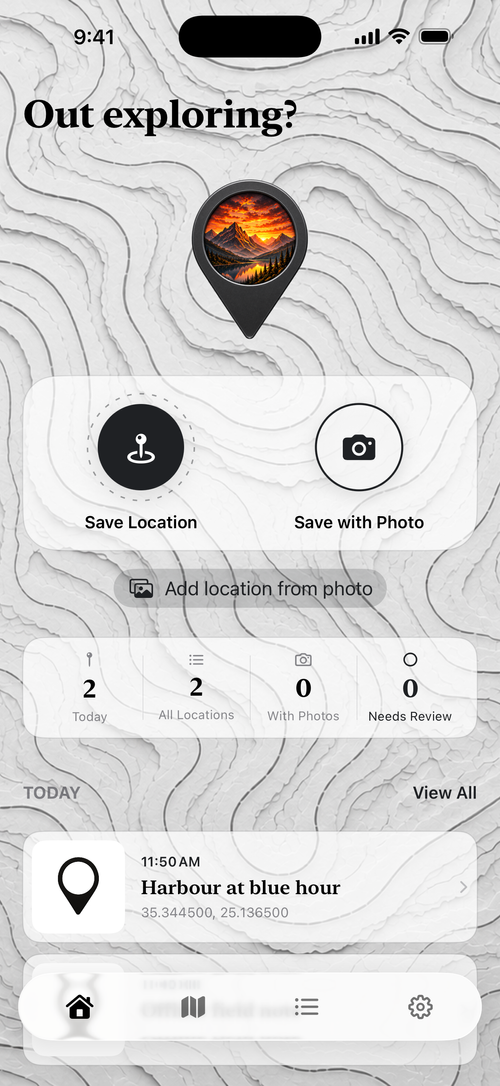
Save the moment
Capture a place as you find it, with or without a reference photo. Your entry is saved even if GPS or the network is unavailable.
Keep the little details
Add a name and a field note. Keep the viewpoint, lens idea, or reason to return beside the reference photos.
Make the next visit count
Browse your personal map, search your journal, or revisit a favourite. Open directions when you’re ready to go back.
The context behind the coordinates
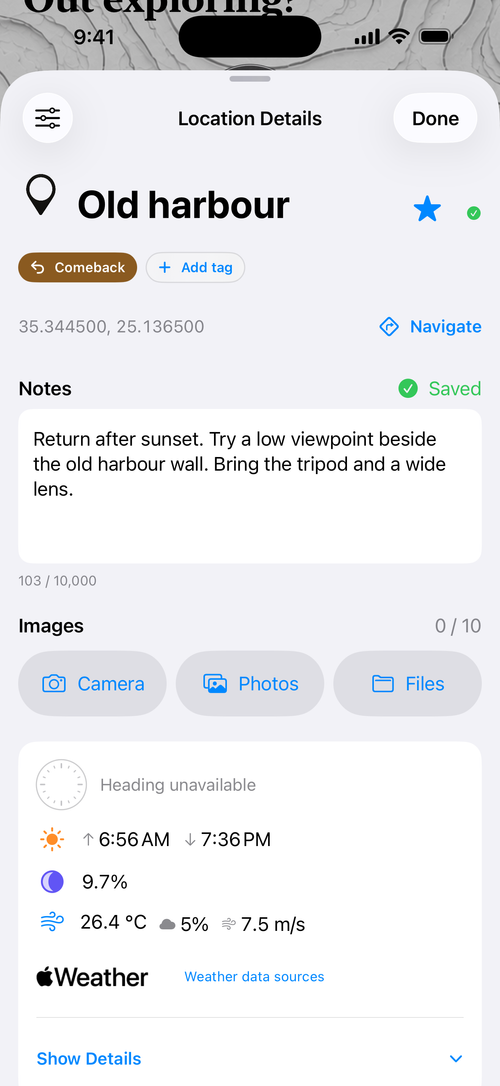
The location, the reference photo and your notes—together.
The angle you noticed. The photo you used as a reference. The thing you’d do differently next time.
- Your observations, togetherNames, notes, and up to 10 reference photos per location.
- A record of the visitCapture time, available coordinates, and a compass heading when a fresh reading is available.
- Light & Sky, with contextSun and moon details calculated for the saved moment. Historical weather when available.
- Start with a photograph, tooIn the app, add a location from a photo’s embedded information. Missing details do not stop an in-app import from being saved.
Shown: an example visit with a Premium tag and custom layout. Basic notes, photos, favourites, and capture remain free.
Save straight from Photos.
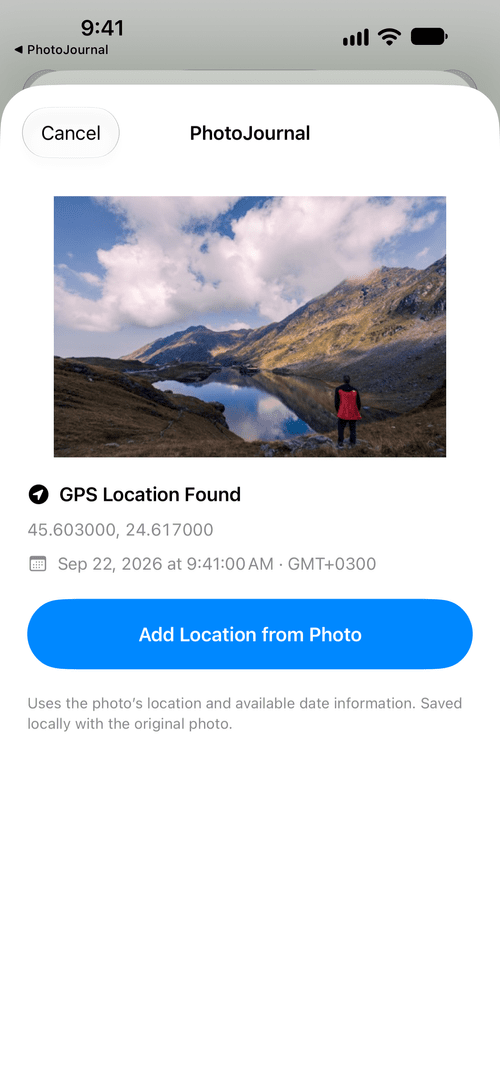
Turn a photograph into a saved place. In Photos, tap Share and choose PhotoJournal. Check the photo’s location and available capture information, then save it to your journal with the original photo attached. The shared image must include GPS metadata.
Photographers Journal Premium
Your eye.
Your way of organizing.
As your collection grows, give it a system that makes sense to you. Find the right places faster and put the details you use most first.
Premium — €5.99 once in Greece.Give every place a purpose.
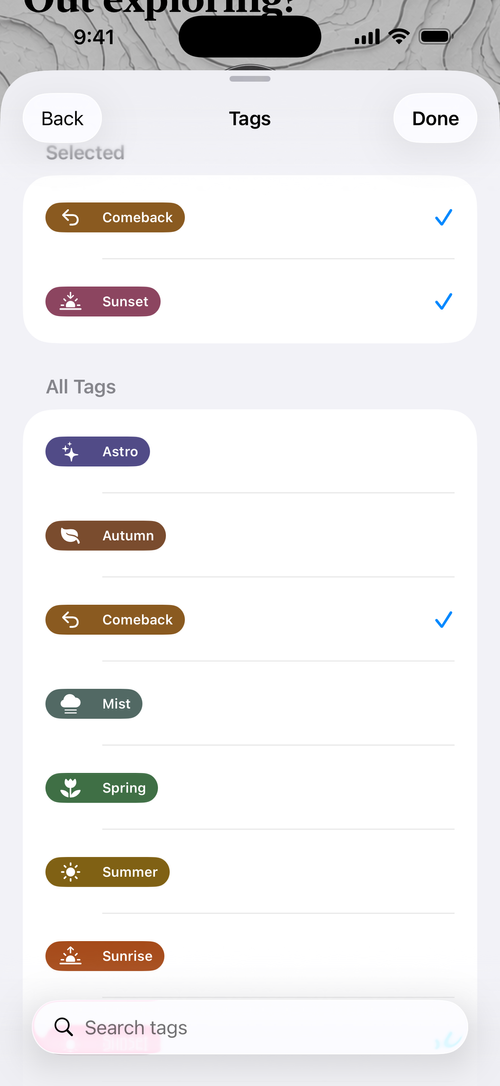
Organize with reusable tags: sunrise, mist, autumn, or simply “Comeback”. Create and edit your own.
Find your next return.
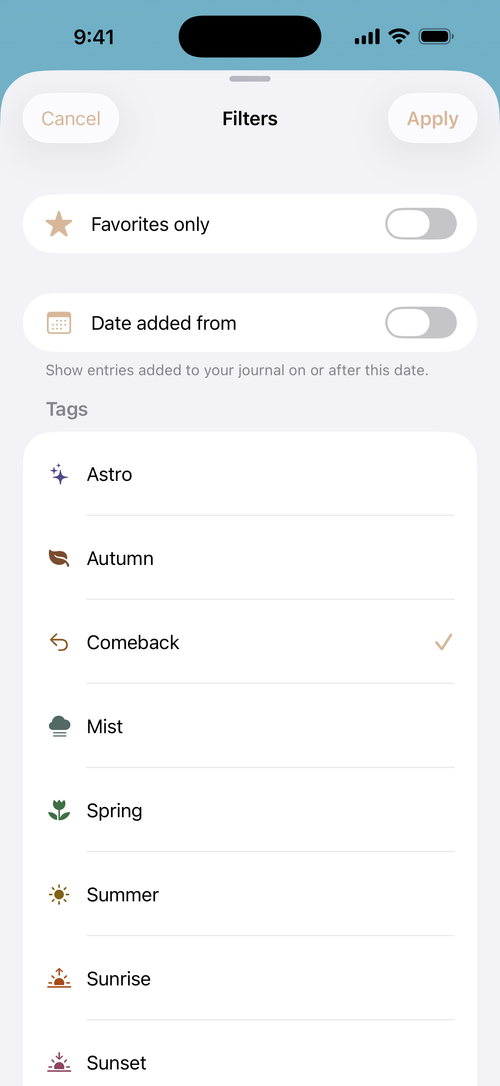
Filter your map and journal by tag. Narrow a growing collection to the places that fit the outing.
Put your process first.
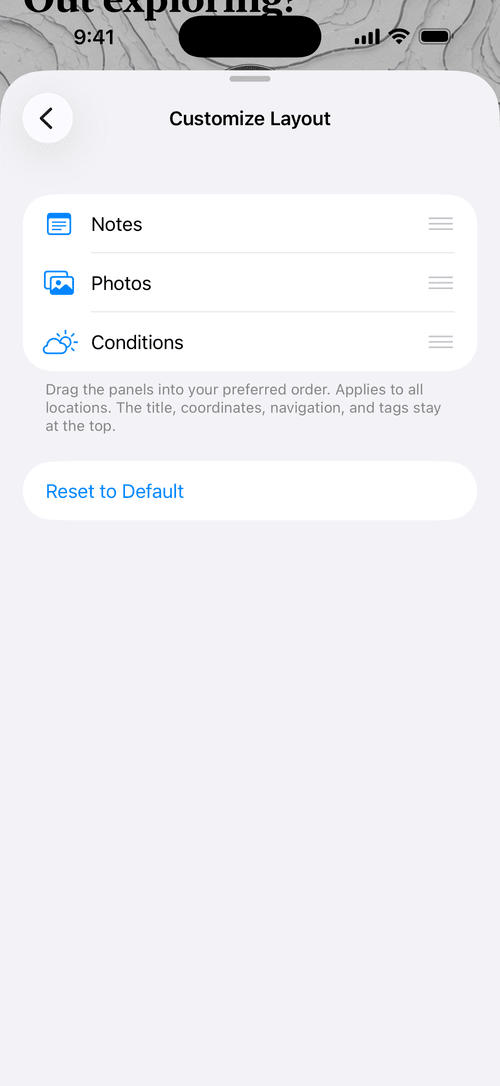
Arrange Notes, Photos, and Conditions in the order you prefer. Your layout applies across your locations.
Make longer notes easier to read.
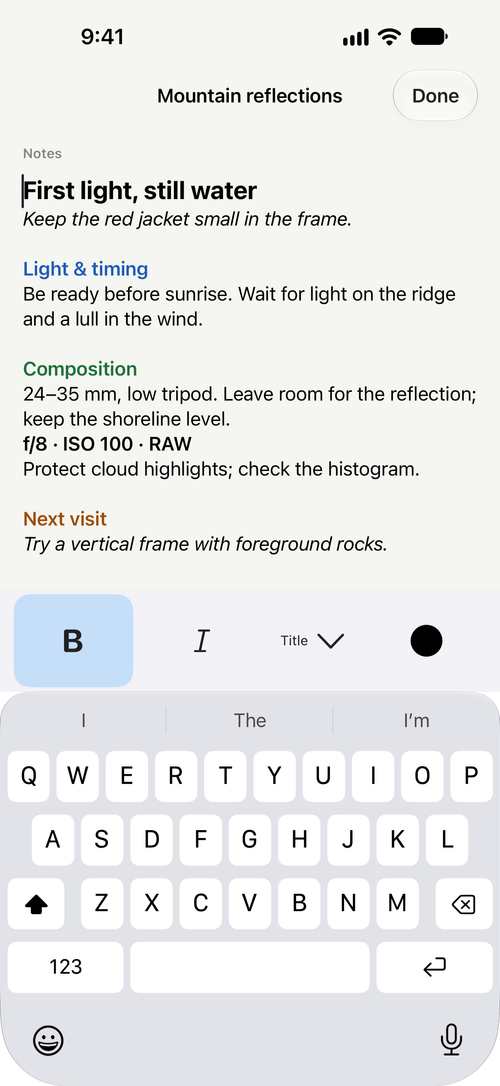
Use headings, bold, italics and colour to organise your field notes. Basic notes remain free.
Buy once. Keep growing.
Includes current and future features designated Photographers Journal Premium, plus an always ad-free experience.
An optional upgrade for deeper organisation. No subscription. Check the app for pricing in your App Store region.
Start with the notebook. Upgrade when it fits.
The essentials stay free.
Photographers Journal
A dependable field notebook from your first outing.
- Save locations, basic notes and reference photos
- Add a location from a photo’s embedded data in the app
- Save locations directly from geotagged photos using the Photos share sheet
- Personal map, journal search, and favourites
- Filter by favourites and date added
- Import and export journal metadata
Photographers Journal Premium
One lifetime unlock for a journal that works your way.
- Everything in the free notebook
- Create, edit, and reuse your own tags
- Filter both your map and journal by tags
- Reorder Notes, Photos, and Conditions
- Rich-text notes with headings, bold, italics and colour
- Future Premium features and an always ad-free experience
Built for being out there
Your journal comes with you.
Capture and saved entries work offline. No app account is required. Your journal is stored locally on your iPhone, with no public feed or automatic sharing of your saved places. Read the privacy policy.
Before your first outing
A few good questions.
What is a photo journal for photography locations?
It brings together the places you photograph, reference images, and notes about each visit. Photographers Journal is a private field notebook: save what caught your eye, the viewpoint you tried, and what you want to do next time. Read the photo journal guide for a practical first entry.
How can I use Photographers Journal for location scouting?
Save a place when you spot it, add a reference photo, and note the viewpoint, access details, or light you want to return for. Your personal map and journal keep those ideas together for your next photography outing.
Does Photographers Journal work without a signal?
Yes. Capture saves locally, and you can open your saved journal, notes and photos offline. Missing GPS does not prevent an ordinary in-app capture from being saved. The Photos share extension requires GPS metadata in the shared image. Map imagery, directions and weather may need a connection; Photos may also need a connection to download an original stored only in iCloud.
Do I need Premium to keep a journal?
No. Core features are free forever, including saving locations, basic notes, reference photos, favourites, search, your personal map and journal metadata import/export. Optional one-time Premium adds reusable tags, tag filters, a custom order for the location-detail panels and rich-text formatting with headings, bold, italics and colour.
Is Premium a subscription?
No. Photographers Journal Premium is a one-time, lifetime in-app purchase. It includes current and future features designated Premium. The app shows the price for your App Store region before purchase and includes Restore Purchases.
Can I start with photos I already have?
Yes. In the app, choose Add location from photo. Photographers Journal reads the selected photo’s embedded location and capture information on your device. If information is missing, you can still save the entry through this in-app route.
Can I save a location from an existing photo?
Select a geotagged image in Photos and choose PhotoJournal from the sharing options. Check the capture information, then add it to your journal. This route requires GPS metadata in the shared image.
Does my journal sync between devices?
Photographers Journal keeps your journal locally and does not automatically sync it. Manual import/export transfers journal metadata, including notes and tags, but does not include the attached image files.
Which iPhones can run it?
Photographers Journal requires iOS 18 or later. Download it from the App Store to start your own photography location journal.
Your next outing is the beginning
Save one place.
Leave yourself a reason to return.
A better season. A quieter morning. A different light. Start your own collection of possibilities.
Core features free forever. Optional one-time Premium.
For iPhone. No account needed.
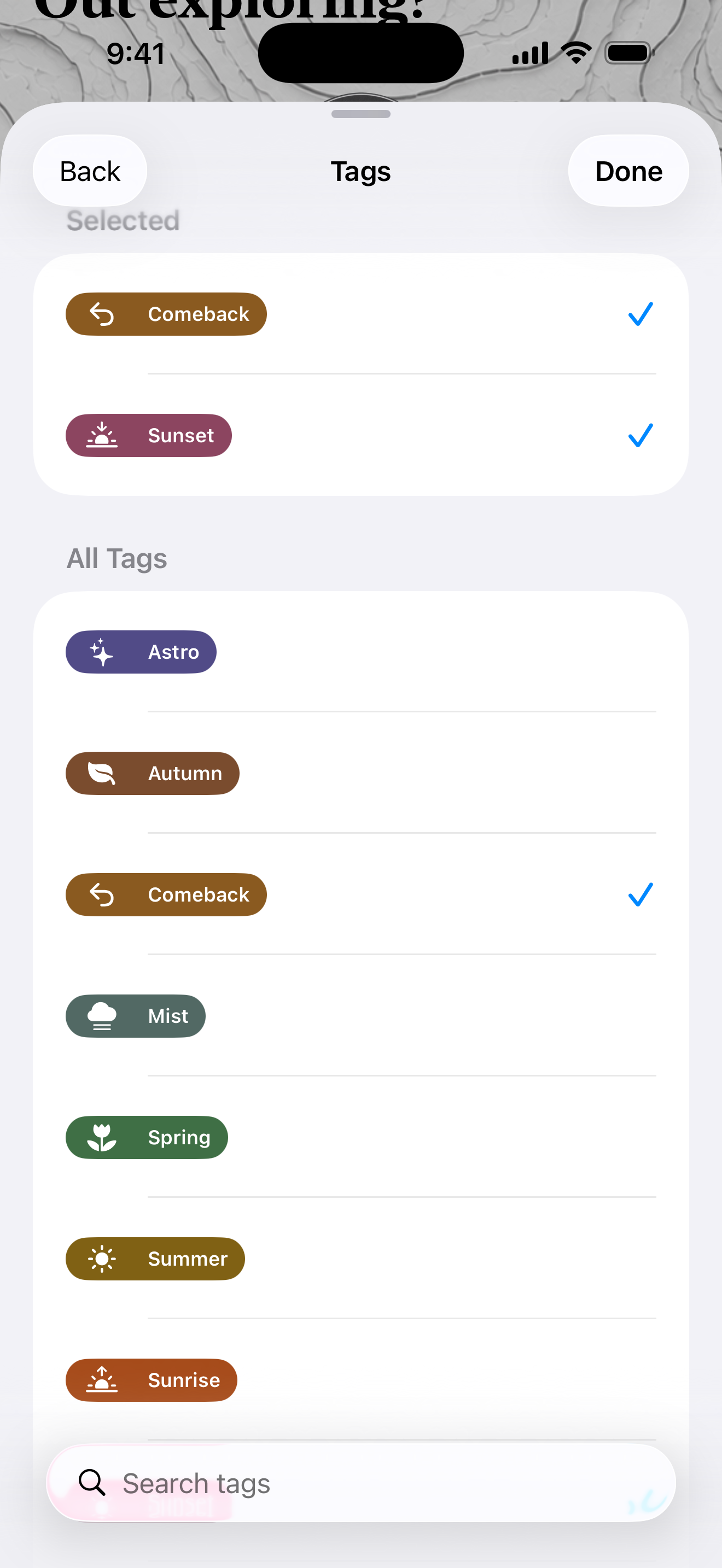
Photographers Journal Premium tag picker with selected Comeback and Sunset tags and reusable seasonal tags
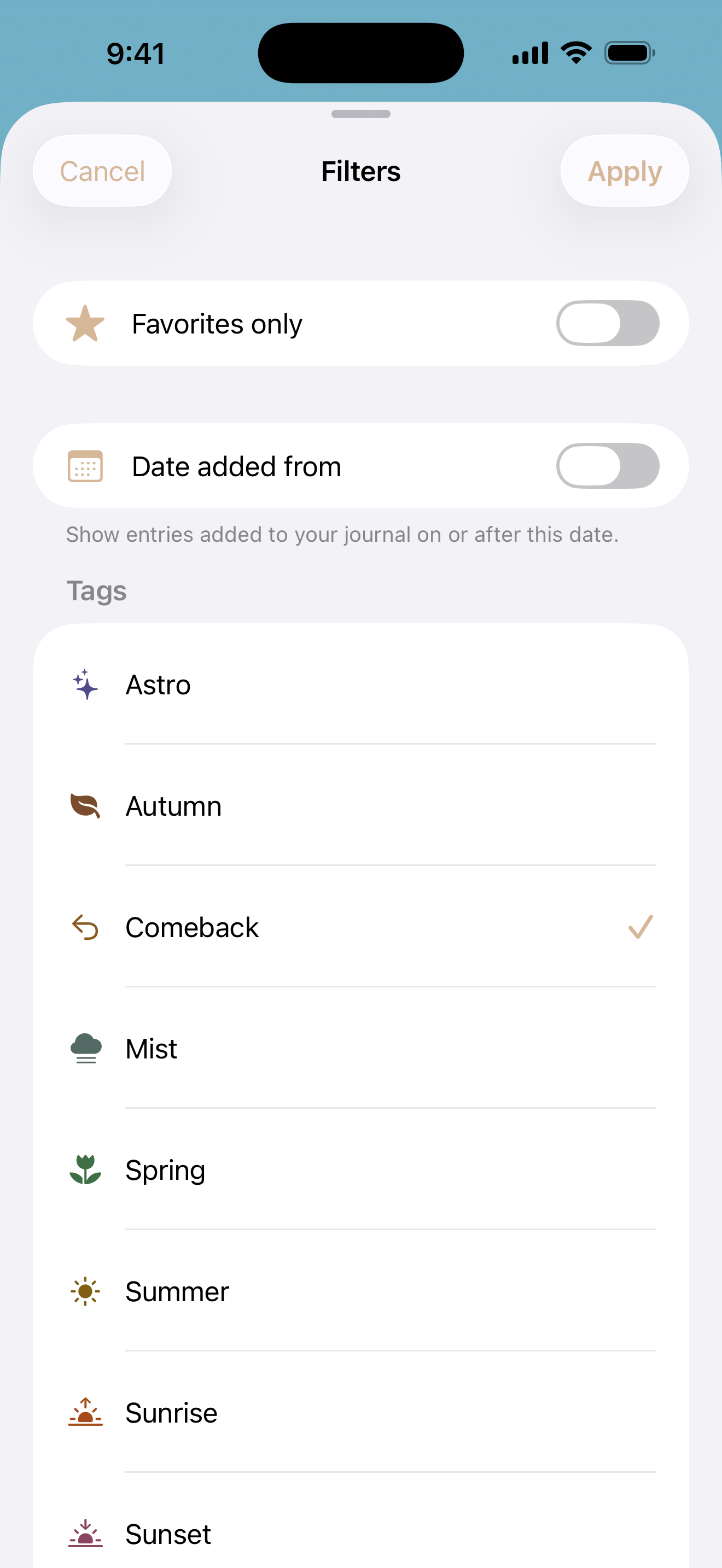
Photographers Journal Filters with Comeback selected; favourites and date-added filters are also shown
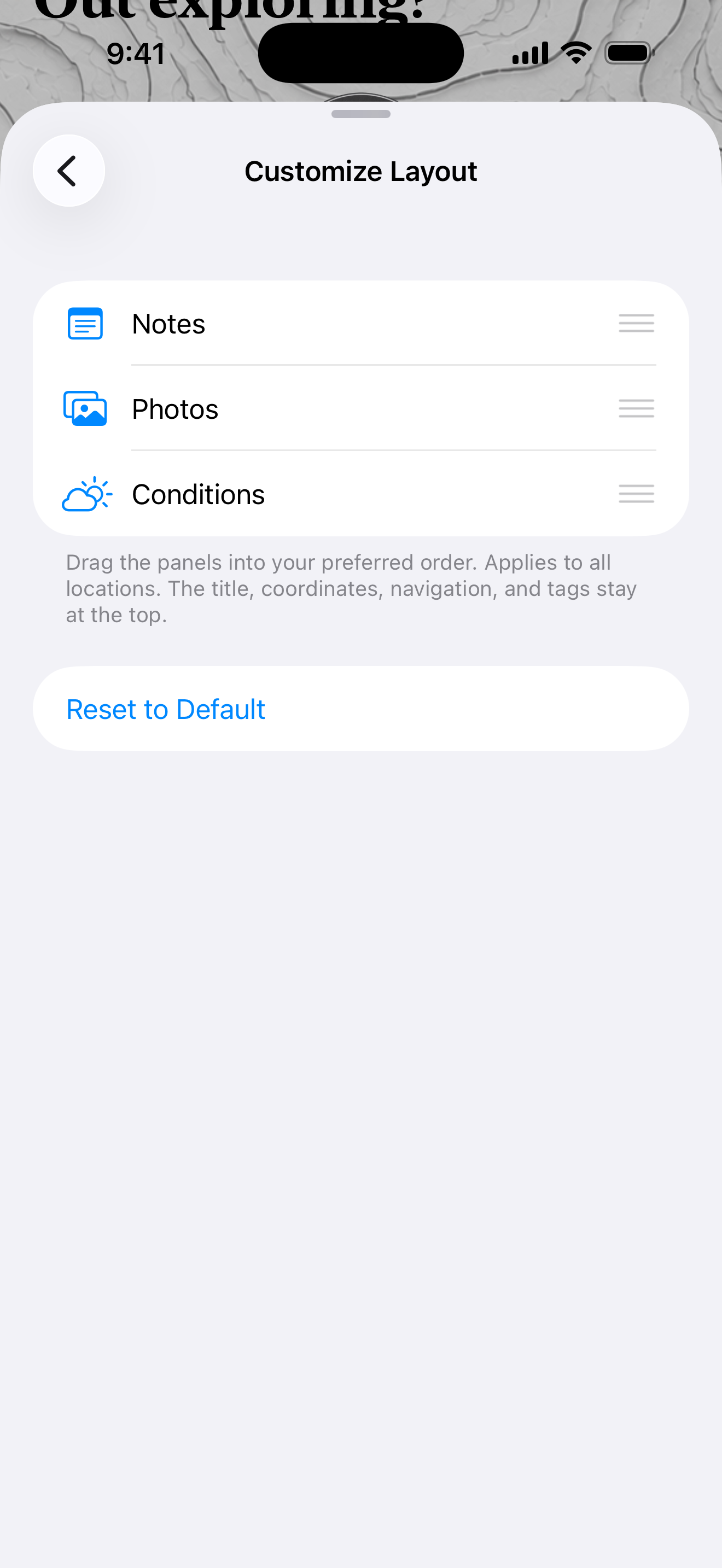
Photographers Journal Customize Layout showing Notes first, followed by Photos and Conditions
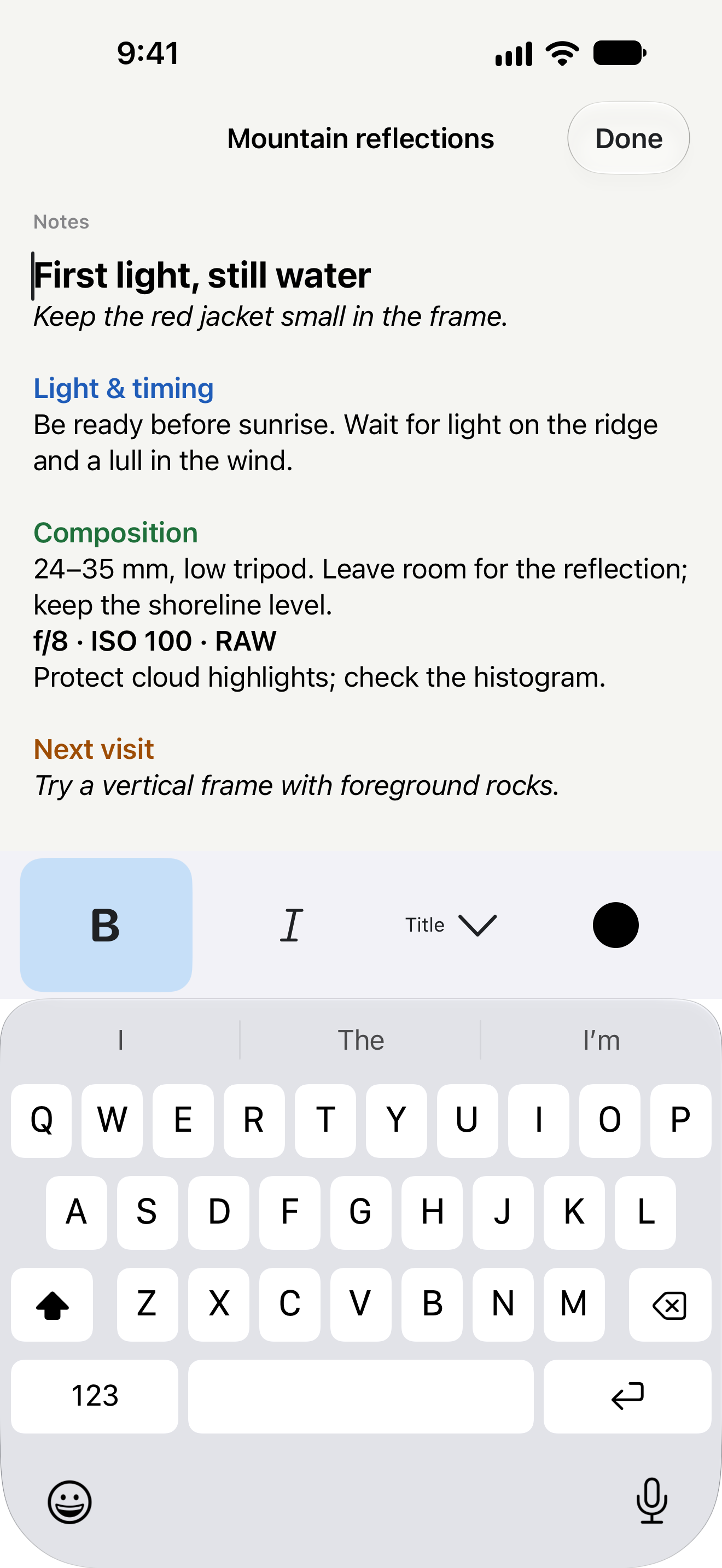
Photographers Journal Premium Rich Notes with headings, bold, italics and coloured text
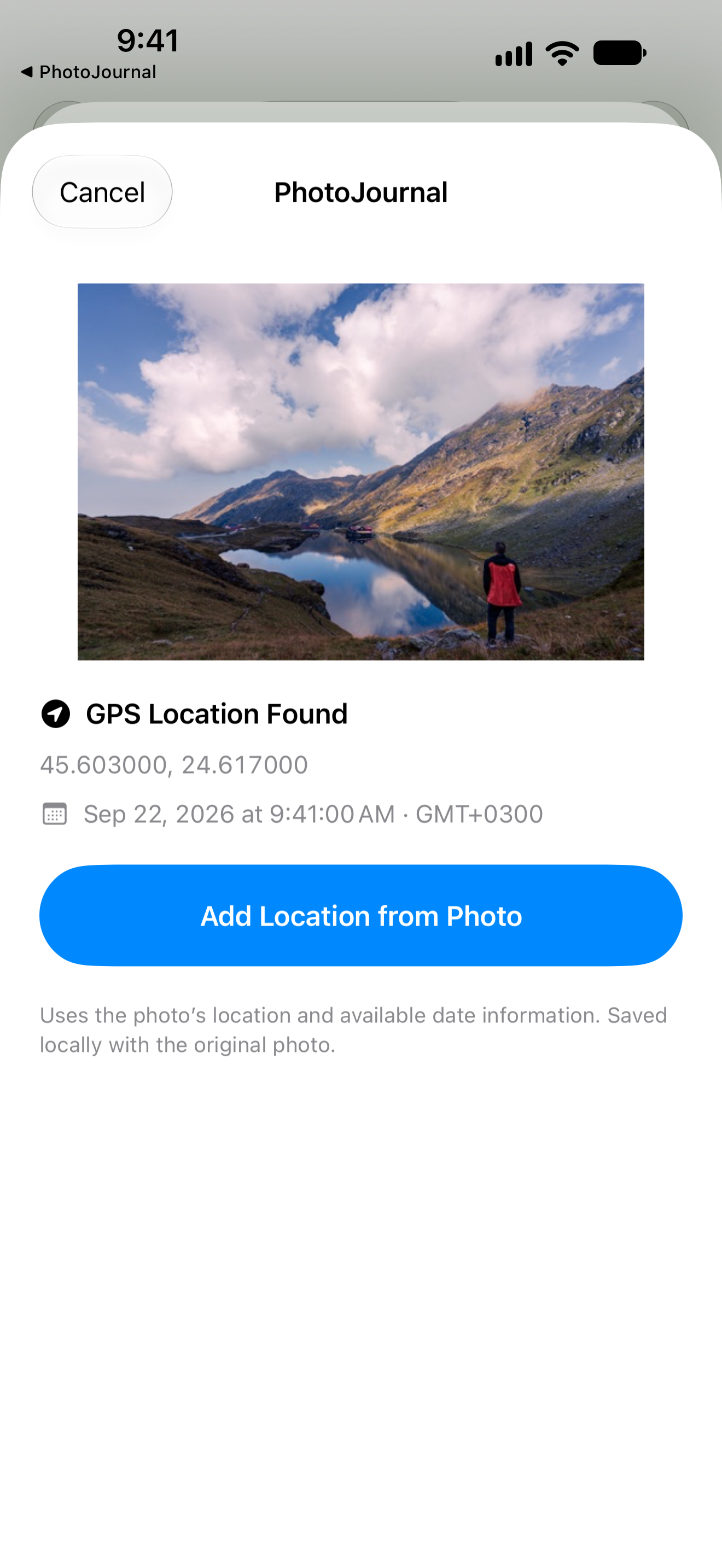
PhotoJournal share preview with the original photograph, GPS location and available capture time